
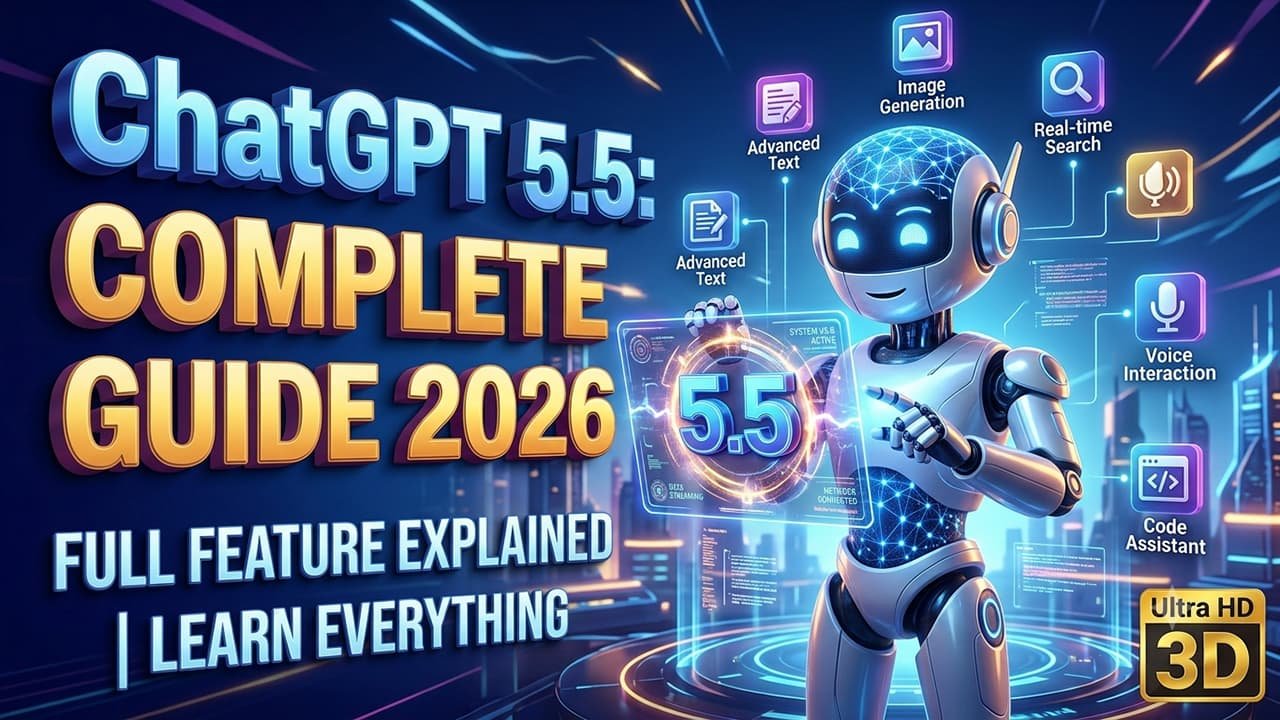
ChatGPT Latest Version 5.5 Complete Guide 2026
If you use the internet, you have probably heard the name ChatGPT in the last few years. In the beginning, most people thought it was just an AI chatbot that answered questions. But today, the situation is completely different. ChatGPT is no longer just a chatting tool. It has become a powerful assistant for blogging, programming, business, marketing, freelancing, education, and productivity.
Today, many bloggers use ChatGPT for article research. Developers use it to get help with coding. Students use it to understand difficult topics in simple language. Freelancers use it to write proposals, and business owners use it to generate marketing ideas. If you use it correctly, ChatGPT can save a lot of your time and also improve the quality of your work.
However, there is one important thing you need to understand. Simply using ChatGPT is not enough. The real difference comes from how you communicate with it and what kind of prompts you write. This is the reason why some people get average results, while others use the same AI to create professional-level content and complete advanced projects.
In this guide, we will understand ChatGPT 5.5 from beginner to advanced level. I will not only explain its features, but I will also show practical examples of how it can be used for blogging, coding, learning, and everyday work.
What is ChatGPT 5.5?
ChatGPT 5.5 is the latest AI language model developed by OpenAI. It can understand natural language and provide responses based on the context of your questions. This means you can ask questions in a normal way, just like talking to a person, and it will try to understand your request before giving an answer.
One of its biggest advantages is that you do not need any programming knowledge or technical commands to use it. You can communicate with ChatGPT in the same way you would talk to a friend, teacher, or colleague.
For example, if you write:
I want to learn JavaScript from beginner level.
ChatGPT will not only give you a simple definition. If you provide a good prompt, it can create a complete learning roadmap, explain concepts with examples, provide practice questions, and even point out common mistakes that beginners make.
In the same way, if you are a blogger and write:
I want to create an SEO-friendly article that is easy for beginners to understand.
ChatGPT can suggest the article structure, headings, FAQs, content ideas, and writing strategies to help you create a better article.
This is why calling ChatGPT only a chatbot would not be completely accurate. It works more like an intelligent digital assistant that can help with a wide range of tasks.
What Is New in ChatGPT 5.5?
With every new version, AI has continued to improve, and ChatGPT 5.5 is no exception. It includes several upgrades that make it more useful and effective than previous versions.
The first major improvement is its better understanding system. When you have a detailed discussion about a topic, ChatGPT 5.5 can follow the flow of the conversation more accurately. This reduces the need to repeat the same information again and again during a conversation.
The second improvement can be seen in the quality of its responses. The answers feel more natural, clear, and easier to read than before. When you provide a clear prompt, the output is usually more structured, organized, and professional.
The third improvement is its reasoning capability. It can explain complex topics step by step more effectively than earlier versions. This makes the learning process easier, especially for beginners who need simple and detailed explanations.
In addition, its performance has improved in areas such as coding, writing, and research. Because of these improvements, many professionals are no longer using ChatGPT only for experimentation. Instead, they are making it a regular part of their daily workflow.
What Can ChatGPT Do?
Many people think that ChatGPT is only designed to answer questions. In reality, it can do much more than that.
If you are a blogger, ChatGPT can help you create article outlines, research topics, suggest FAQs, and improve your content.
If you are a developer,
it can explain code, help you understand errors, and assist you in learning new concepts. Students can use ChatGPT to understand difficult chapters and topics in simple and easy language. Freelancers use it to write client proposals, create email replies, and plan projects more efficiently.
Business owners use AI to generate marketing ideas, create product descriptions, and develop social media content. The most interesting thing is that the same tool can be useful in different ways for different professions. Whether you are a student, developer, blogger, freelancer, or business owner, ChatGPT can be adapted to support your specific needs and goals.
Does ChatGPT Always Give Correct Answers?
This is a very important question. The short answer is no.
ChatGPT is a powerful AI assistant, but it is not perfect. Sometimes it may provide incorrect information or give incomplete answers. That is why verifying important information is always a good habit.
If you are working on medical, legal, or financial topics, you should not rely only on AI-generated answers. It is important to verify the information using trusted and reliable sources.When I write technical blog posts, I often use AI to generate ideas and gather information. After that, I check the official documentation and trusted sources to confirm the details. This process helps make the article more accurate, reliable, and trustworthy.
Laptop Stand
The Real Power of ChatGPT Is Hidden in Prompts
Many people complain that ChatGPT does not provide good answers. However, in most cases, the problem is not with the AI. The problem is with the prompt they provide.
For example, imagine you only write:
Teach me JavaScript.
With this prompt, AI does not know whether you are a beginner or an experienced developer. It also does not understand your learning goals, preferred style, or the level of explanation you need.
Now, let's improve the same prompt.
I want to learn JavaScript from zero. I am a beginner. Explain every topic in simple language. Provide real-world examples. Also give practice exercises after every chapter.
Now the AI gets clear instructions. Because of this, the response will also become more useful, detailed, and relevant. This is the main difference between getting average results and achieving professional-level results with ChatGPT. A good prompt helps AI understand exactly what you need and allows it to provide better answers.
How to Write a Good Prompt
Professional users never write only one-line prompts. They first provide context to the AI, then explain the task, and finally mention the expected output they want. A good prompt should usually include the following things. First, clearly explain what you want from the AI. Then, mention your target audience. This helps the AI understand who the content or information is for.
After that, specify the language you want the response in.If you need a specific format, make sure to mention it as well. Also, if you want examples or practical explanations, clearly include that in your prompt. This small habit can significantly improve the quality of AI-generated results and helps ChatGPT provide more accurate and useful responses.
How I Use ChatGPT for Blogging
Whenever I have to write a new blog, I do not start by directly writing the article. First, I choose the topic. After that, I ask ChatGPT about the common questions people may have when they search for that topic. Then, I use it to create the structure of the article.
After creating the structure, I research each heading myself and add my own experience and knowledge.
The biggest advantage of this process is that the article does not become just a collection of information. Instead, it focuses on solving the real problems of readers. This is why I never copy and publish the raw output generated by AI. Use AI as an assistant, not as a replacement for a writer.
How to Use ChatGPT in a Smart Way
If you ask an experienced ChatGPT user about its most powerful feature, they may not mention just one specific feature. The real power comes from how you use it and what kind of tasks you make it perform. Many people use ChatGPT only as a question-and-answer tool, while professionals make it a part of their daily workflow.
For example, imagine two people want to write a blog about the same topic. The first user simply writes, Write an article about AI. The second user first explains the target audience, then defines the purpose of the article, language, writing style, and structure.
Both users will get an answer, but there will be a huge difference in the quality of the results. This is why learning how to clearly explain your requirements is important for getting the best results from ChatGPT.Whenever I start a new project, I give instructions to ChatGPT like I would guide an employee. The clearer the instructions are, the better and more useful the output becomes.
What Is Prompt Engineering?
If you want to use ChatGPT seriously, you will definitely hear the term Prompt Engineering. In simple words, it means giving instructions to AI in a way that helps it understand your requirements clearly without any confusion.
For example, if you only write:
Teach me React.
AI does not know whether you are a beginner or an experienced developer. It also does not understand your current knowledge level or learning goal.
But if you write:
I know HTML, CSS, and JavaScript. Now teach me React from zero to advanced level using a project-based learning approach. Also provide a practice task after every topic.
Now ChatGPT gets clear instructions. Because of this, the answer will become more useful, detailed, and practical. Professional users always focus on five important things while writing a prompt. First, they explain their goal clearly. After that, they mention the target audience or their current level.
Then, they specify the language in which they want the output.If they need a specific format, they mention that as well. Finally, they add examples or additional instructions to get better results. This simple formula works effectively in almost every field and helps you get more accurate results from AI.
Desk lamp
Practical Use of ChatGPT for Blogging
In blogging, the most time is usually spent on research and planning. If you start writing an article without proper planning, you may run out of ideas in the middle of the process. ChatGPT can help solve this problem to a great extent. For example,
imagine you want to write an article on Best Programming Languages. First, ask ChatGPT to create an outline for the article. Then, collect important points for each heading. After that, add your own research, experience, and personal insights to make the content more valuable.
If your article needs FAQs, you can ask AI about the most common questions people search for related to that topic. Similarly, if you are confused about choosing a title or writing a meta description, you can generate multiple ideas with ChatGPT. However, the final decision should always be made by you. A successful blogger uses AI less as a replacement for writing and more as a powerful tool for planning, research, and improving the overall content creation process.
How Useful Is ChatGPT for Coding?
For students who are learning programming, ChatGPT can work like a personal teacher. However, there is one important condition: do not simply copy the code. Make it a habit to understand every line of code and learn why it works. For example, if you get an error in JavaScript, do not ignore it or just search for a quick solution. Ask ChatGPT why the error is happening. Then, request it to explain the solution in simple language so you can understand the concept behind it.
If you are learning React or Laravel, try to build small projects after learning each concept. You can also use ChatGPT to get project ideas, understand development approaches, and review your code.I have noticed that people who only use AI to generate code often make slower progress in programming. But those who read the explanations, understand the concepts, and practice by themselves improve their coding skills much faster.
USB Microphone
Generating Images with ChatGPT
In today's time, only writing content is not enough. If you work on blogging, YouTube, or social media, attractive images are equally important. With the help of ChatGPT, you can create image ideas and detailed prompts. If you are using a version that supports AI image generation, you can also create images directly.
However, simply writing "Create an AI image" will not give you a professional result. The more details you provide, the better and more accurate the image will become. For example, if you are writing a blog about JavaScript, do not simply write:
Create a JavaScript image.
Instead, write a detailed prompt like this:
Create a modern workspace with a programmer writing JavaScript code on dual monitors, dark office environment, blue lighting, realistic setup, cinematic look, ultra HD quality, DSLR style, 16:9 aspect ratio, no text, no logo.
Now the AI clearly understands what type of image you want to create.Similarly, when creating a thumbnail, first think about your target audience. If your article is for beginners, the image should be simple and easy to understand. If it is for developers, showing a professional coding environment can be more effective.
How to Do Research with ChatGPT
Many beginners do not understand the difference between research and copy-pasting. Research does not mean publishing whatever AI writes. Research means understanding a topic from different perspectives and then explaining it in your own words.Whenever I write a new article, I first ask ChatGPT questions like:
How can this topic be explained to beginners?
What are the things people usually get confused about in this topic?
Which important points should definitely be included in the article?
What are the common mistakes people make?
After that, I check official documentation and trusted sources to verify the information. This process helps make the article not only unique but also more useful and valuable for readers.
How to Increase Productivity with ChatGPT
If you do every task manually, a lot of time can be wasted. ChatGPT can help you complete repetitive tasks faster and more efficiently. For example, imagine you need to create a YouTube script, a Facebook post, and a blog introduction on the same topic. Instead of starting everything separately, you can provide the context to ChatGPT and ask it to prepare content in different formats.
Similarly,
if you need to convert meeting notes into a summary, make emails more professional, or explain a difficult paragraph in simple language, ChatGPT can save a significant amount of time.However, always remember that the final review should be done by you. AI can help you work faster, but your own judgment and editing are still important.
Best Prompt for Blogging
This is a practical prompt that I use for creating a blog structure.
Create an SEO-friendly outline for my article. The target audience is beginners. The headings should be arranged in a logical order. Also explain the important points that should be covered under each heading. Include topics that help readers gain complete knowledge about the subject.
The biggest advantage of this prompt is that before starting the article, you already have a clear roadmap. This makes the writing process easier and helps you create more organized content.
Can You Earn Money with ChatGPT?
The answer to this question is yes. However, you cannot earn money just by opening ChatGPT. It is a tool that can help you improve your skills, increase your productivity, and complete tasks faster. If you are a blogger, ChatGPT can help you with better content planning and research.If you are a freelancer, it can help you create better proposals and improve your communication with clients.
If you are a developer, it can increase your speed in coding, debugging, and learning new technologies.If you are a YouTube creator, it can help you create video scripts and generate new content ideas.Your earning always depends on your skills, consistency, and how you apply your knowledge. ChatGPT can make the process easier and faster, but it cannot replace your hard work and dedication.
Best Laptop For Developers
Frequently Asked Questions
Can ChatGPT Be Used for Free?
Yes, a free version of ChatGPT is available. However, some advanced features and capabilities may be different depending on the plan you use.
Is ChatGPT Safe for Blogging?
Yes, but you should not directly publish raw AI-generated content. It is better to add your own research, examples, personal experience, and insights to make the content more valuable and authentic.
Can ChatGPT Teach Coding?
Yes. From beginners to experienced developers, anyone can use ChatGPT to understand programming concepts, get code explanations, solve problems, and find practice ideas.
Will ChatGPT Replace Google?
No. Both have different purposes. Google helps you find information from the internet, while ChatGPT helps you understand information by explaining it in a simple and conversational way.